
Can you install APK on Android? In many cases, Android phones can install APK files, but not every APK will work on every Android device. Compatibility depends on factors such as the Android version, processor architecture, available storage, application requirements, and APK package type.
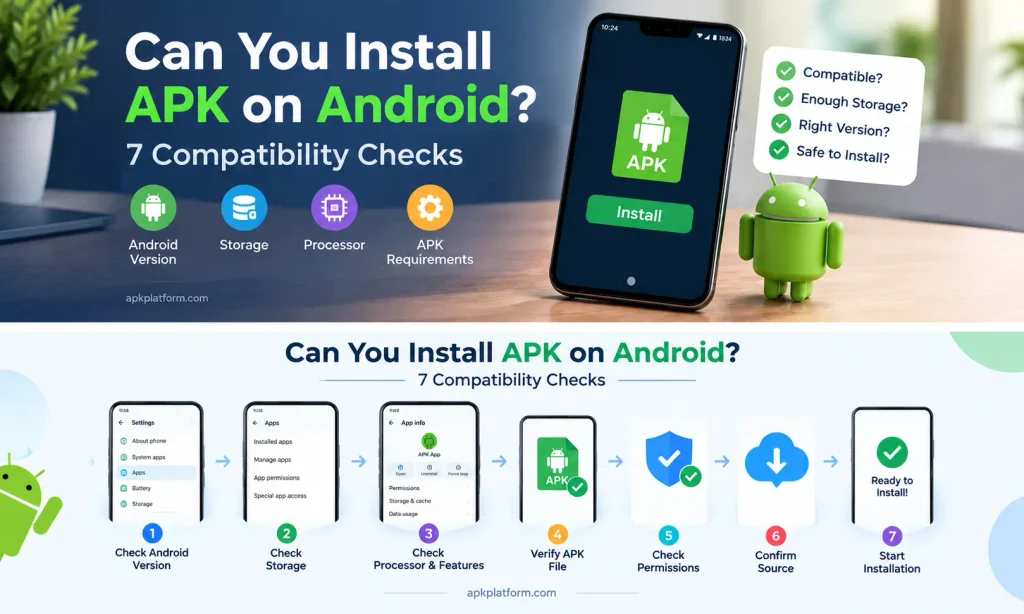
If you are asking, “can you install APK on Android?” the answer depends on whether your phone meets the requirements of the specific APK. Checking these requirements before installation can help prevent common errors and compatibility problems.
This guide explains the main APK compatibility checks, how to identify installation requirements, and what to do if an APK does not install or work correctly.
For more Android APKs, installation guides, troubleshooting tips, and useful app information, visit apkplatform.
What Is an APK File?
APK stands for Android Package Kit. It is the package format used to install applications on Android devices.
When an APK is installed, Android checks the package and determines whether it can be installed on the device. The application may have specific requirements that your phone needs to meet.
These requirements can include:
- Android version
- Processor architecture
- Available storage
- Required device features
- App permissions
- APK package type
- Application version
Meeting the basic requirements does not always guarantee that an application will work perfectly, but checking them before installation can help prevent common problems.
Can You Install APK Files on Any Android Phone?
Not necessarily.
Many Android phones support APK installation, but an individual APK may not be compatible with every device.
For example, an application may require a newer Android version than the one installed on your phone. It may also require hardware or software features that your device does not provide.
Some APK packages are designed for specific processor architectures or Android configurations.
Therefore, it is better to check the application’s requirements before installing it rather than assuming every APK will work on every Android phone.
What Android Version Does the APK Require?
Android version compatibility is one of the first things to check.
An APK may require a minimum Android version. If your phone is running an older version, Android may prevent the installation or the application may not function correctly.
To check your Android version, open:
Settings → About Phone → Android Version
The exact menu may vary by manufacturer.
Before installing an APK, compare your phone’s Android version with the application’s stated requirements.
Does Phone Storage Affect APK Installation?
Yes. Available storage can affect both installation and normal application operation.
An APK needs enough space for the installation process, and the installed application may require additional storage for data, updates, or downloaded content.
If your phone is nearly full, you may encounter installation errors.
Before installing an APK:
- Open your phone’s Storage settings.
- Check available space.
- Remove unnecessary files if storage is low.
- Delete unused applications if needed.
- Try the APK installation again.
Keeping some free storage can also help Android perform routine tasks more smoothly.
If you are installing a game such as 90X Game APK, you can review its APK information before starting the installation.
Does Processor Architecture Affect APK Compatibility?
Yes. Some APK files are built for specific processor architectures.
Android devices can use different architectures, and an APK package may not include support for every type.
If an APK is intended for a different architecture, installation may fail or the application may not work correctly.
This is one reason to use the correct APK version for your particular device rather than downloading a random package.
If the download source provides architecture information, check it before installation.
Can Older Android Phones Install New APK Versions?
Sometimes, but not always.
A newer APK version may require Android features that are unavailable on an older phone. In that situation, the latest version may not install or may not operate correctly.
If an application has a stated minimum Android version, your phone should meet that requirement before you attempt installation.
Using an older compatible version may sometimes be possible, but users should only obtain installation files from a trustworthy source and should consider security implications when using outdated software.
Why Does Android Say “App Not Installed”?
If Android displays an “App not installed” message, there may be several possible causes.
Common reasons include:
- Insufficient storage
- Incompatible Android version
- Damaged APK file
- Incorrect APK package
- Existing version conflict
- Unsupported processor architecture
- Installation restrictions
- Corrupted download
The exact cause can vary from one device to another.
If you see this error, check the APK file, Android version, storage, and existing application version before trying the installation again.
If Android displays an “App not installed” message, see our guide on the APK not installed error for troubleshooting steps.
Can a Damaged APK Install Correctly?
A damaged or incomplete APK may fail during installation.
This can happen if a download was interrupted or the file became corrupted.
If an APK does not install, consider downloading the file again from a trustworthy source.
Avoid repeatedly installing a file that appears incomplete or behaves unexpectedly.
You should also avoid APK files that have been modified without clear information about what has been changed.
Does Android Block APK Installation?
Android can restrict installations from certain sources depending on device settings and Android version.
If you download an APK through a browser or file manager, Android may ask you to allow that particular source to install applications.
Only enable the relevant installation permission when necessary, and review the source carefully before proceeding.
After completing the installation, you can review the permission settings again if appropriate.
For additional information about Android settings, app management, and device security, you can refer to Google’s official Android Help.
Can You Install an APK Without Google Play Store?
Yes, Android can support APK installation outside Google Play Store when the device settings and application requirements allow it.
However, installing an APK outside an official app store requires additional care.
Before opening an APK:
- Check where the file came from.
- Verify that the file is intended for your device.
- Check the required Android version.
- Review the application’s permissions.
- Keep your Android device updated.
- Avoid suspicious download pages.
- Do not provide passwords or verification codes to unofficial sources.
The installation method does not automatically determine whether an APK is safe. The file and its source should be evaluated separately.
How to Check APK Compatibility Before Installation
A quick compatibility check can reduce installation problems.
Check the Android Version
Confirm the minimum Android version required by the application.
Check Storage
Make sure your phone has enough free space for installation and application data.
Check the APK Version
A very old or very new application version may not be suitable for your device.
Check Processor Requirements
If architecture information is provided, make sure the APK package is appropriate for your device.
Check Application Requirements
Some applications may require particular Android features, hardware, or services.
Check the File
Make sure the download completed successfully and the APK file is not damaged.
Can You Install Game APKs on Every Android Phone?
Not every game APK will work on every Android phone.
Android games can have additional requirements because they may depend on graphics capabilities, processor architecture, Android versions, storage, or other device features.
Before installing a game APK, check the requirements and available storage.
If you are installing a game such as 90X, you can review the [90X Game APK] information before starting the installation.
You can also check the [98S Game] guide for additional APK and installation information.
What If an APK Installs but Does Not Work?
Successful installation does not always mean the application is fully compatible.
If an APK installs but crashes or refuses to open, check:
- Android version
- Available storage
- App permissions
- Application version
- Device compatibility
- Internet connection, if required
- Whether the APK file is complete
You can also restart your phone and try opening the application again.
If the problem continues, uninstalling the application and checking for a compatible version may be necessary.
Is It Safe to Install APK Files?
APK installation itself is a normal Android function, but the safety of an APK depends on factors such as its source, integrity, permissions, and intended use.
Before installing an APK, consider whether the download source is trustworthy and whether the application’s requested permissions make sense for its purpose.
Be particularly careful with APK files that ask for unusual permissions or direct you to unofficial payment pages.
Never share your password, OTP, PIN, or other account verification information with someone claiming to help with an APK installation.
What Should You Check Before Installing an APK?
Use this quick checklist:
- Android version
- Available storage
- APK version
- Processor compatibility
- Application requirements
- File integrity
- Download source
- Requested permissions
- Existing application version
Checking these items before installation can help identify compatibility problems early.
FAQs
Can you install APK files on any Android phone?
Many Android phones support APK installation, but individual APK files may have specific Android, processor, storage, or hardware requirements. Therefore, an APK is not guaranteed to work on every Android phone.
Why won’t an APK install on my Android phone?
Possible causes include insufficient storage, an incompatible Android version, a damaged file, an existing application conflict, an unsupported package, or installation restrictions.
Can an old Android phone install a new APK?
It depends on the APK’s minimum Android requirement and other compatibility requirements. If the application requires a newer Android version, the installation may not work.
Does every APK work on Android?
No. APK files can have different compatibility requirements. Always check the application’s requirements before installation.
Can I install APK without Google Play Store?
Android can allow APK installation outside Google Play Store, but you should carefully check the file source, compatibility, permissions, and security before installing it.
Does APK size affect compatibility?
File size alone does not determine compatibility. However, insufficient storage can prevent an APK from installing successfully.
What should I do if an APK installs but keeps crashing?
Check Android compatibility, available storage, permissions, application version, and whether the APK file is complete. Restarting the device or reinstalling a compatible version may also help.
Final Thoughts
Can you install APK files on any Android phone? While many Android devices support APK installation, compatibility depends on the individual application and the device’s software and hardware requirements.
Before installing an APK, check the Android version, storage, APK version, processor compatibility, file integrity, and application requirements. These simple checks can help reduce common installation and compatibility problems.
If an APK does not install or work correctly, avoid repeatedly trying unknown files. Instead, identify the possible compatibility issue and use a suitable installation file from a trustworthy source.
For more Android APK guides, installation help, troubleshooting information, and useful app resources, visit our homepage.